Development
Project engineering is performed from the graphical Client while signed in with an account holding the Configure right (see Users). The Client then exposes additional commands for editing parameters, devices, data items, displays, users, and server-side files.
Configuration commands
When the account holds the Configure right, the Client adds configuration commands to its menus and context actions.
Properties
The Properties command opens the property window for the selected data
item or object.
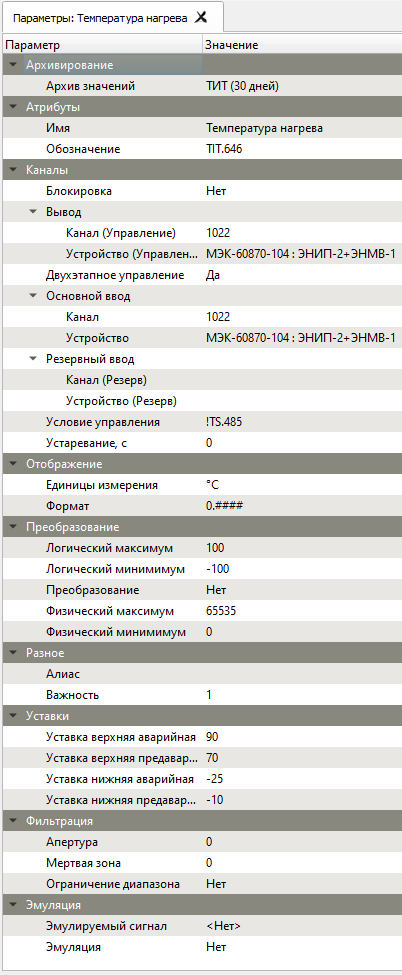
Element properties
The Element Properties command opens a table that lists parameters for
all display elements inside the selected group or direction.

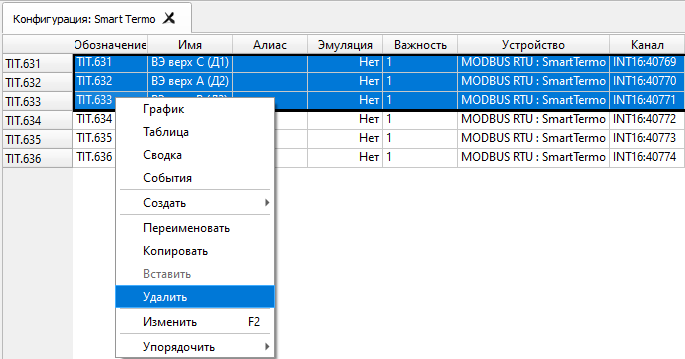
Delete
The Delete command removes the selected object, multiple selected
objects, or a device from the project.
Main engineering areas
The engineering workflow covers:
- user administration
- equipment and communication setup
- data-item configuration
- electronic schematics and element parameters
- archiving
- configuration export and import
- server-side file management