Electronic schematics and element parameters
Element properties
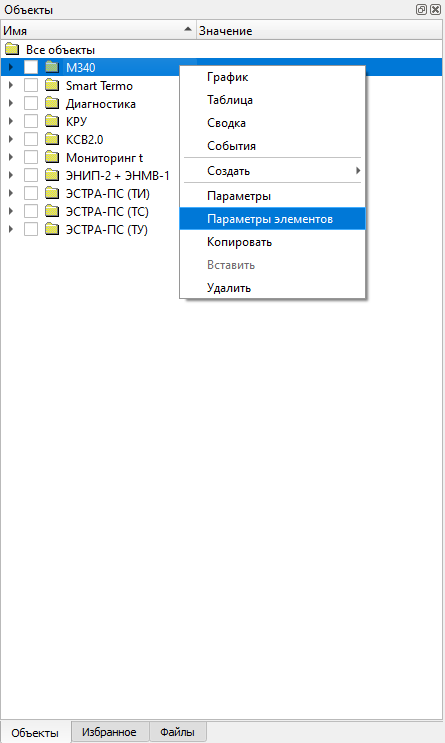
The Element Properties command is opened from the context menu for a
selected object group:
The table-based editing mode simplifies work with many objects. Objects appear in rows and their parameters appear in columns:
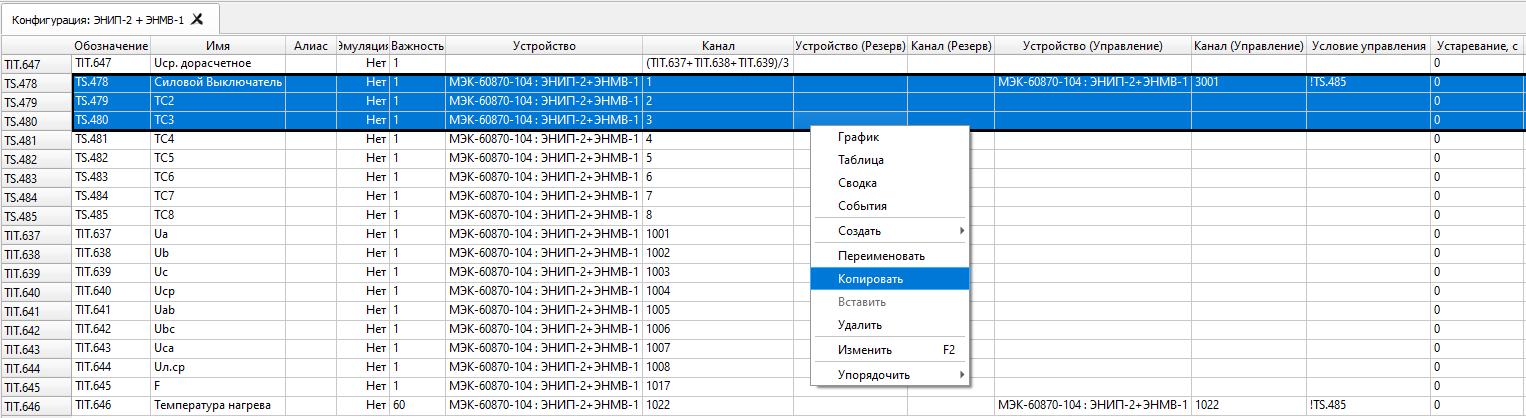
Cells can be filled by dragging the selection from the lower-right
corner, similarly to Microsoft Excel. If a cell value ends in a number,
the number is incremented or decremented automatically during the fill
operation. Hold Ctrl while dragging to disable the automatic number
change.
The table context menu also provides Copy and Paste operations for
objects.
Modus schematics
Displays — files with the sde and xsde extensions — are created and
edited in the Modus graphical editor. The editor is not part of the SCADA
delivery: it is a separate Windows program supplied by its maker, MODUS
(swman.ru). The SCADA Client shows the displays
itself, with its built-in module; workstations do not need the ActiveXeme
component for that.
A finished display can be placed in one of two ways:
- copy the file to
%ProgramData%\Telecontrol\SCADA Clienton every client workstation. The Client opens that folder withSettings -> Open Displays Folder; - upload the file once to the Server, which then serves it to every Client — see Server files.
A display added to a workstation’s folder becomes available from the
Display main menu after the Client is restarted.
If a display file or object alias is changed, it is enough to close and reopen the display in the Client.
Binding objects
To bind a discrete or measured object to a display, define an alias for
the object in its Properties window (the Alias field), opened with
Properties from the object’s context menu.
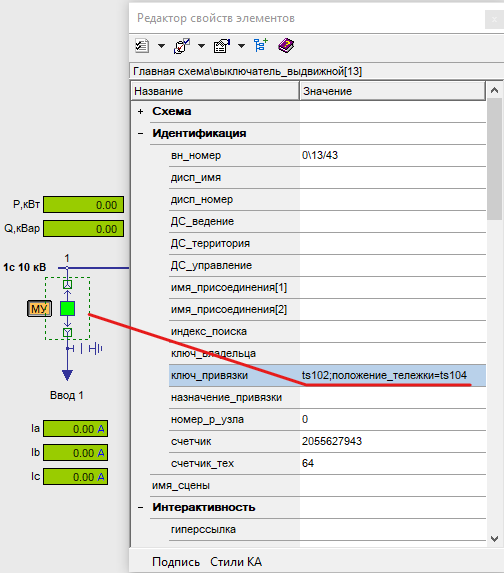
After the alias is defined, bind it to a display element. Discrete objects are usually bound to elements with a position property, while measured objects are commonly bound to text fields.
In the Modus graphical editor, select the display element and set the
alias as the value of the binding_key property in the element property
editor (F11).
For an arbitrary property binding, use an expression such as
property_name=alias.
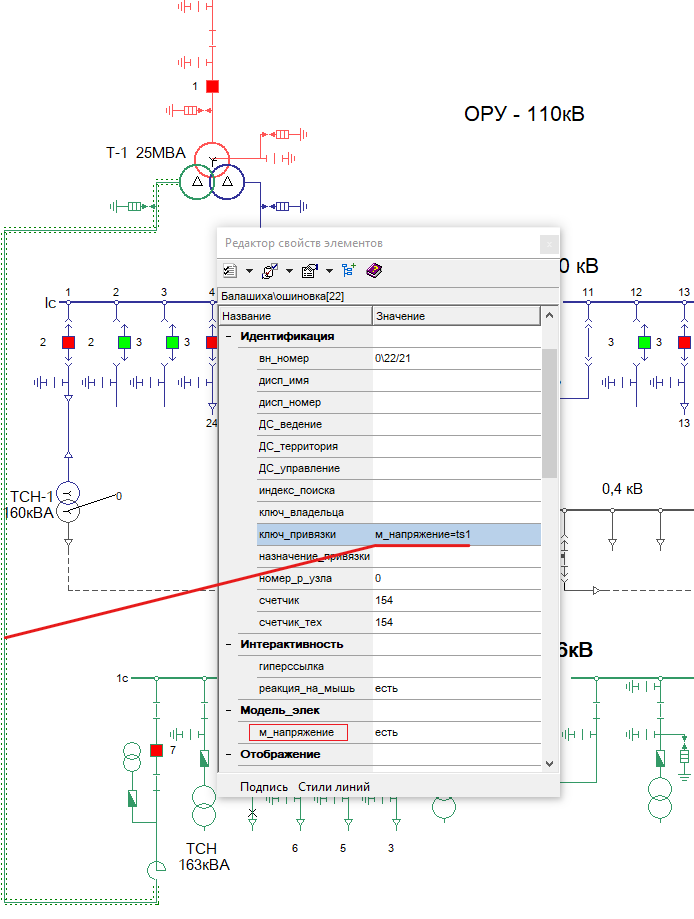
To bind several properties, separate them with ;, for example:
property_name1=alias1;property_name2=alias2
Display title
The display title shown in the
Display menu is stored in
the sde and xsde files. It can be edited in the Modus graphical
editor through Display -> Page properties -> About file... by setting
the Title attribute:
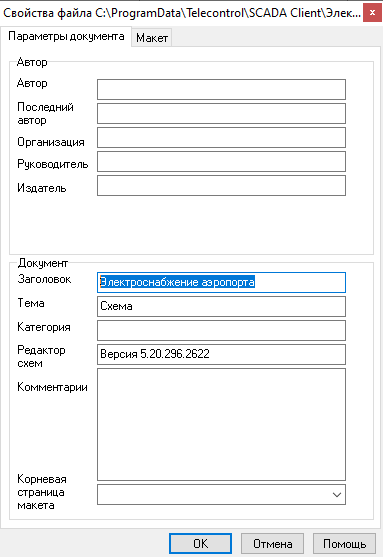
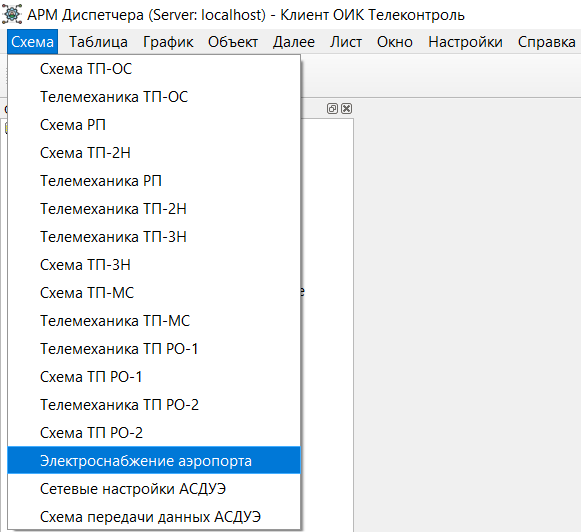
The Client Displays menu then shows the text defined in that title
attribute: