Display
The Display window shows Modus schematics (.sde and .xsde files) stored
on the Server. The client draws them with its built-in display module; the
ActiveXeme component is neither needed nor used. The Display menu
lists the available schematics.
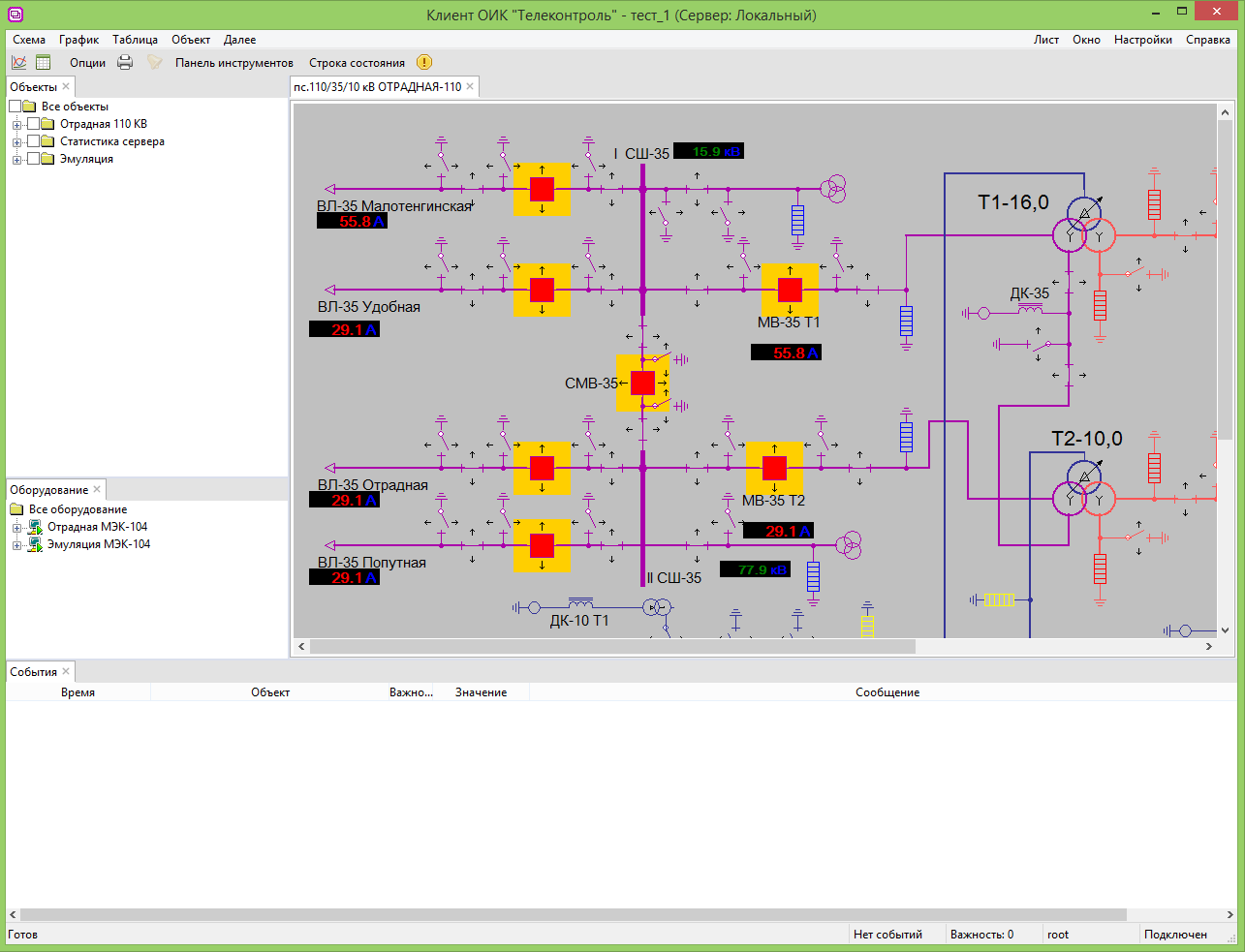
Working with a schematic
Clicking a shape bound to an object selects that object: the Inspector shows its value and quality, and the object’s commands are in the Item menu. Double-clicking a shape acknowledges its object’s unacknowledged events.
Open the display for a selected object
When an object is selected in the object panel or in a table, the user
can open the display that contains that object with the Display
command in the object’s context menu or in the Item menu. The command is
available when the client is connected to the Server.
When the command is executed, the system searches for a display that contains the selected object.
If a matching display is already open, the existing window is activated. Otherwise, a new display window is opened. After the display opens, the object is selected on the schematic automatically.
If no display contains the selected object, the client shows a message to that effect.
When a schematic is not shown
Instead of the schematic the window may show one of these messages:
- "No display runtime is installed."
- The client's display module (on Windows, the file
display_runtime.dll) is missing next to the client executable, so the client works but cannot draw schematics. The second line of the message gives the reason. The operator cannot fix this — contact Telecontrol. Restart the client once the module is in place. - "No display document is assigned to this window."
- The window was saved without a schematic file. Close it and open the schematic again from the Display menu.
- "Cannot open document: …"
- The schematic file is damaged or in an unsupported format; the reason follows the colon. Report it to whoever designs the schematics.